
Data Centre Cooling Best Practices: An In-Depth Guide
Data centers are the backbone of modern digital infrastructure, housing the servers and equipment that power everything from websites to cloud services. One of the most critical aspects of maintaining a data center is effective cooling. As servers generate heat, managing this heat is essential for ensuring optimal performance, reliability, and longevity of the equipment. In this article, we will explore data center cooling best practices, break down complex concepts, address common misconceptions, and explain why effective cooling matters to businesses.
Understanding Data Center Cooling
What is Data Center Cooling?
Data center cooling refers to the methods and technologies used to regulate the temperature and humidity levels within a data center. The primary goal is to prevent overheating of servers and other equipment, which can lead to failures, reduced performance, and increased energy costs.
Why Cooling Matters
- Equipment Longevity: High temperatures can shorten the lifespan of hardware components. Proper cooling can extend the life of servers and reduce maintenance costs.
- Performance Optimization: Overheating can throttle server performance. Keeping equipment within optimal temperature ranges ensures peak performance.
- Energy Efficiency: Cooling systems are one of the largest consumers of energy in data centers. Efficient cooling practices can significantly reduce operational costs.
- Reliability: Maintaining stable temperatures helps prevent unexpected downtime, ensuring that services remain available to users.
Common Misconceptions About Data Center Cooling
- “More Cooling is Always Better”: Many believe that simply increasing cooling capacity will solve overheating issues. However, this can lead to inefficiencies and higher energy costs. It’s essential to find the right balance.
- “Air Conditioning is Sufficient”: While traditional air conditioning is a common cooling method, it may not be adequate alone for large data centers. Specialized cooling solutions are often necessary.
- “Cooling is a One-Time Setup”: Cooling needs can change as data center operations evolve. Regular assessments and adjustments are crucial for maintaining efficiency.
Best Practices for Data Center Cooling
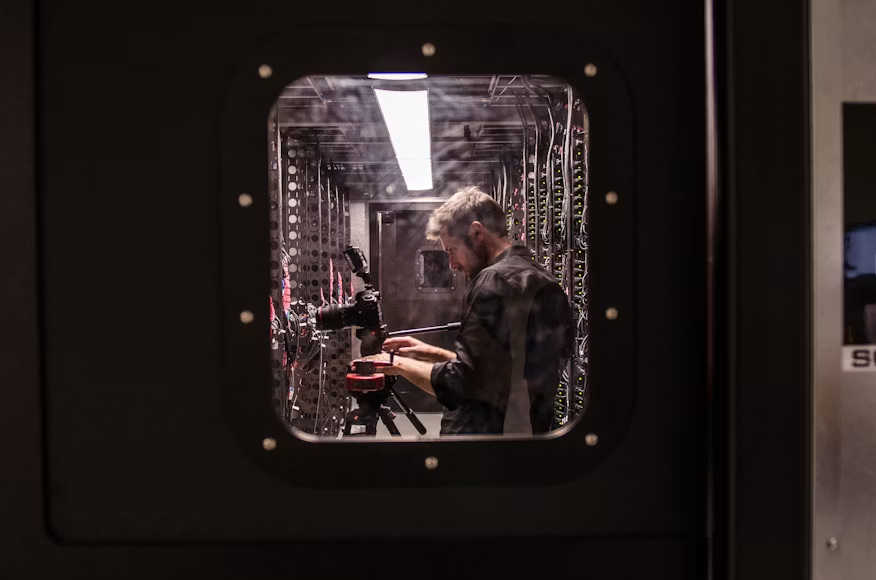
1. Hot Aisle/Cold Aisle Containment
Concept: Organizing server racks in alternating rows (cold aisles facing hot aisles) helps manage airflow. Cold air is supplied to the front of the servers, and hot air is expelled at the back.
Implementation:
- Use containment systems to physically separate hot and cold aisles.
- Ensure that air conditioning units are positioned to supply cold air directly to the cold aisles.
Benefits: This method minimizes the mixing of hot and cold air, improving cooling efficiency and reducing energy consumption.
2. Use of In-Row Cooling
Concept: In-row cooling systems are placed between server racks to provide direct cooling where it is needed most.
Implementation:
- Install cooling units within the rows of racks to target hot spots.
- Utilize variable speed fans to adjust airflow based on real-time temperature data.
Benefits: This targeted approach can significantly enhance cooling efficiency and reduce overall energy usage.
3. Implementing Liquid Cooling Solutions
Concept: Liquid cooling involves using water or other coolants to absorb heat directly from servers, often more efficiently than air cooling.
Implementation:
- Deploy liquid-cooled racks or cold plates that transfer heat away from hardware.
- Ensure proper leak detection systems are in place to mitigate risks.
Benefits: Liquid cooling can handle higher heat loads and is often more energy-efficient than traditional air cooling methods.
4. Regular Monitoring and Maintenance
Concept: Continuous monitoring of temperature, humidity, and airflow is essential to identify and address cooling issues promptly.
Implementation:
- Use sensors and monitoring software to track environmental conditions in real-time.
- Schedule regular maintenance checks for cooling equipment and airflow management systems.
Benefits: Proactive monitoring helps prevent overheating and identifies inefficiencies before they escalate into costly problems.
5. Optimize Rack Layout and Density
Concept: The arrangement and density of server racks can impact airflow and cooling efficiency.
Implementation:
- Avoid overloading racks; maintain recommended power density levels.
- Space out racks appropriately to ensure adequate airflow.
Benefits: An optimized layout improves cooling performance and reduces the risk of hot spots.
6. Energy-Efficient Cooling Technologies
Concept: Utilize advanced cooling technologies that optimize energy use.
Implementation:
- Invest in high-efficiency chillers and cooling units.
- Explore free cooling options, such as using outside air when conditions allow.
Benefits: Energy-efficient technologies can lead to substantial cost savings and a reduced carbon footprint.
Conclusion
Effective cooling is a critical component of data center management that directly impacts performance, reliability, and operational costs. By implementing best practices like hot aisle/cold aisle containment, in-row cooling, and liquid cooling solutions, businesses can ensure their data centers operate efficiently and sustainably. Regular monitoring and maintenance, along with an optimized rack layout, further enhance cooling effectiveness.
Understanding and addressing cooling needs is not just a technical requirement; it is a strategic consideration that can significantly influence a business’s bottom line. As data demands continue to grow, prioritizing cooling strategies will be essential for maintaining competitive advantage in the digital landscape.