
Fibre Network Installation Best Practices: A Comprehensive Guide
Fibre optic networks have become the backbone of modern communication, offering high-speed internet and data transmission capabilities that are crucial for businesses of all sizes. However, the installation of fibre networks is a complex process that requires careful planning and execution to ensure optimal performance and reliability. This article will break down the best practices for fibre network installation, address common misconceptions, provide relevant examples, and explain why this topic is vital for businesses.
Understanding Fibre Optic Networks
What is Fibre Optic Technology?
Fibre optic technology uses strands of glass or plastic (fibres) to transmit data as pulses of light. This method allows for greater bandwidth and longer transmission distances compared to traditional copper cables. Key advantages include:
- Higher Speeds: Fibre can deliver internet speeds exceeding 1 Gbps.
- Greater Bandwidth: Supports multiple channels of data simultaneously.
- Reduced Interference: Less susceptible to electromagnetic interference.
- Longer Distances: Signals can travel over much longer distances without degradation.
Why Businesses Need Fibre Networks
In today’s digital age, businesses rely heavily on fast and reliable internet connections for operations, communication, and customer interactions. Fibre networks are essential for:
- Cloud Computing: Accessing and storing data in the cloud requires robust connectivity.
- Video Conferencing: High-quality video calls demand high bandwidth.
- Big Data Analytics: Processing large datasets efficiently is crucial for decision-making.
- Remote Work: Supporting a remote workforce requires reliable internet access.
Best Practices for Fibre Network Installation
1. Planning and Design
Assessing Needs
Before installation begins, it’s essential to assess the specific needs of the business. Consider factors such as:
- Current and Future Bandwidth Requirements: Estimate how much data will be transmitted and anticipate future growth.
- Building Layout: Understand the physical layout of the premises to determine the best fibre routes.
- Equipment Compatibility: Ensure that existing network equipment is compatible with fibre technology.
Example
A company planning to expand its operations in the next few years should design a fibre network that accommodates increased data traffic, rather than just meeting current needs.
2. Choosing the Right Type of Fibre
Single-Mode vs. Multi-Mode
- Single-Mode Fibre: Best for long-distance communication (over 10 km) and higher bandwidth, typically used in backbone installations.
- Multi-Mode Fibre: Suitable for shorter distances (up to 2 km) and is often used within buildings.
Example
A university campus may use multi-mode fibre for internal connections between buildings, while connecting to the internet via single-mode fibre for long-distance communication.
3. Installation Techniques
Proper Handling and Installation
- Avoid Bending: Fibre cables are sensitive to bending; adhere to the minimum bend radius specified by the manufacturer.
- Use Proper Tools: Specialized tools for cutting, splicing, and terminating fibres are essential to avoid damage.
- Labeling: Clearly label all cables and connections to facilitate future maintenance.
Example
During the installation of a fibre network in a new office, technicians should use fibre optic splice trays to organize and protect splices, preventing potential damage and ensuring ease of access.
4. Testing and Validation
Conducting Tests
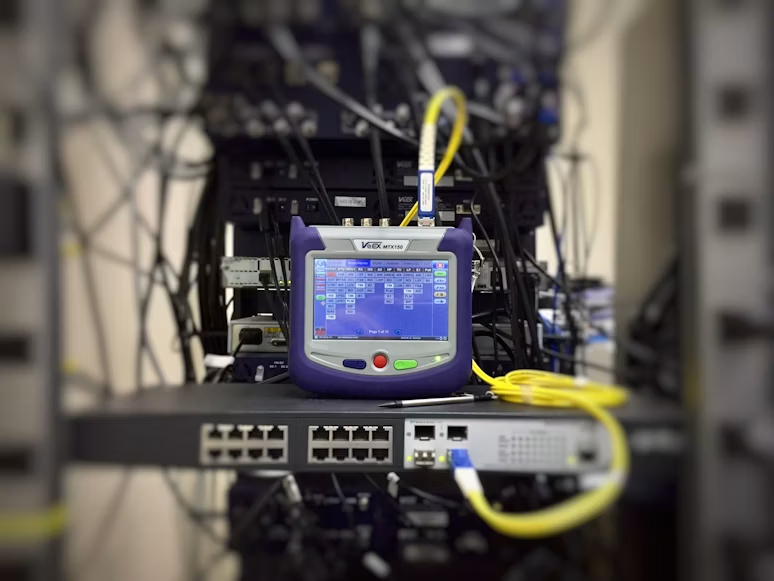
After installation, it’s crucial to perform tests to ensure the network operates correctly. Common tests include:
- Optical Time Domain Reflectometer (OTDR): Identifies faults and measures the length of fibre links.
- Insertion Loss Testing: Measures the loss of signal strength through connections and splices.
Example
A company may use OTDR testing to identify a fault in a newly installed fibre link, allowing for quick remediation before the network goes live.
5. Ongoing Maintenance
Regular Inspections
Regular maintenance is necessary to ensure long-term performance. This includes:
- Routine Inspections: Check for physical damage or wear and tear.
- Performance Monitoring: Use network monitoring tools to track performance metrics and identify issues early.
Example
A retail business may schedule quarterly inspections of its fibre network to ensure that it continues to support high-speed transactions and customer interactions without interruption.
Common Misconceptions About Fibre Installation
Misconception 1: Fibre is Only for Large Enterprises
Many believe that fibre networks are only necessary for large businesses. However, as internet demands grow, even small businesses can benefit from fibre installations to enhance productivity and customer experience.
Misconception 2: Fibre Installation is Too Expensive
While initial installation costs can be higher than copper networks, the long-term benefits—such as lower maintenance costs and increased productivity—often outweigh these costs.
Misconception 3: Fibre Networks are Fragile
While fibre cables can be sensitive to bending, they are actually more durable than copper cables in terms of signal quality and resistance to electromagnetic interference.
Conclusion: Why Fibre Network Installation Matters
For businesses, the installation of a fibre optic network is not merely a technical upgrade; it is a strategic investment in the future. By following best practices in planning, installation, testing, and maintenance, companies can ensure a robust, high-speed network that supports their operations and growth.
In an era where digital connectivity is paramount, understanding and implementing effective fibre network installation practices can lead to increased efficiency, better customer satisfaction, and a competitive edge in the marketplace. As businesses continue to evolve, so too must their network infrastructures, making fibre optic technology an essential consideration for any forward-thinking organization.